
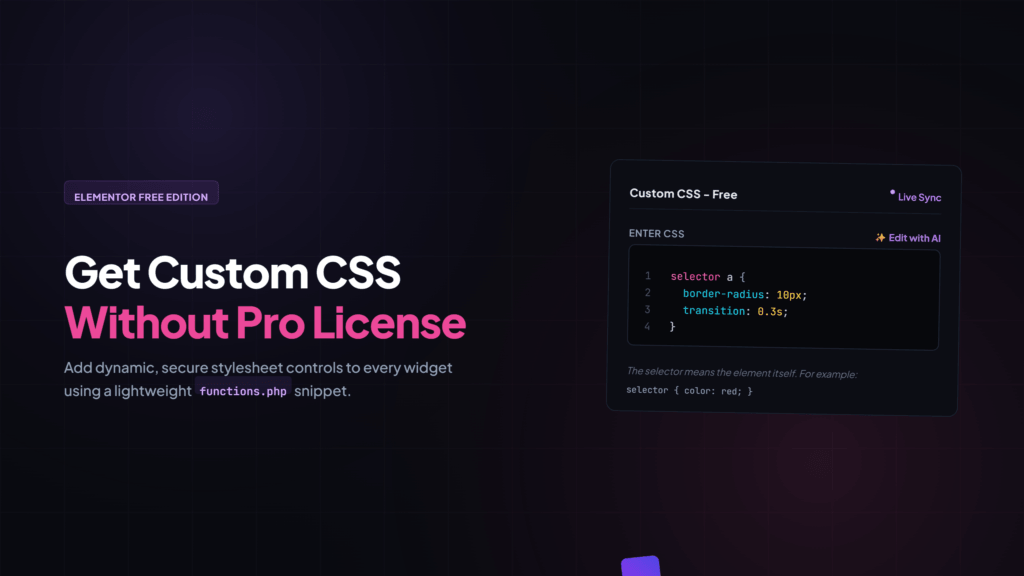
Are you tired of seeing the locked Custom CSS box in the Elementor Free version? You can easily unlock a fully functional, secure, and real-time live previewing Custom CSS panel without paying for a premium license. All it takes is copying a simple snippet and pasting it into your theme’s functions.php file.
Why This Method is Better than Plugins
Most free plugins that add custom CSS to Elementor lack real-time live previews, forcing you to constantly refresh the page to see changes. They also tend to create security risks by neglecting input sanitization, and they slow down your website by adding unnecessary database queries. This optimized snippet resolves those problems by introducing built-in security layers, robust transient caching, and a smooth live-sync engine.
Key Features
You can target specific elements using the standard “selector” keyword just like in Elementor Pro. The code features an instant live sync engine that updates your styles in the preview frame without reloading. It also includes deep sanitization to block harmful scripts and restricted access so only administrators can use the CSS panel. Performance is kept fast with automatic database caching.
Step-by-Step Implementation Guide
First, open your active theme’s functions.php file through your WordPress theme editor or FTP. Scroll to the very bottom and paste the complete script provided below.
/* =====================================================
   Elementor Free → Pro-style Custom CSS Features
   ===================================================== */

if ( ! defined( 'ABSPATH' ) ) exit;

/**
 * 1. Custom CSS Tab Add
 */

add_action( 'elementor/element/after_section_end', function( $element, $section_id ) {

    $target_sections = [
        '_section_style',
        'section_advanced',
        '_section_responsive',
    ];

    if ( ! in_array( $section_id, $target_sections ) ) return;

    static $added = [];
    $element_name = $element->get_name();
    if ( isset( $added[ $element_name ] ) ) return;
    $added[ $element_name ] = true;

    $element->start_controls_section(
        'my_custom_css_section',
        [
            'label' => 'Custom CSS - Free',
            'tab'   => \Elementor\Controls_Manager::TAB_ADVANCED,
        ]
    );

    $element->add_control(
        'my_custom_css',
        [
            'label'       => 'Enter CSS',
            'type'        => \Elementor\Controls_Manager::CODE,
            'language'    => 'css',
            'rows'        => 10,
            'description' => 'The selector means the element itself. For example: <code>selector { color: red; }</code>',
            'render_type' => 'ui',
            'default'     => "selector {\n\t\n}",
        ]
    );

    $element->end_controls_section();

}, 10, 2 );

function my_sanitize_css( $css ) {
    $css = wp_strip_all_tags( $css );
    $css = preg_replace( '/<\s*script[^>]*>.*?<\s*\/\s*script\s*>/is', '', $css );
    $css = preg_replace( '/javascript\s*:/i', '', $css );
    $css = preg_replace( '/expression\s*\(/i', '', $css );
    $css = preg_replace( '/@import/i', '', $css );
    return trim( $css );
}


/**
 * 2. Frontend CSS Output - Cached version
 * Saving Elementor will update the cache, no repeated DB query will be performed.
 */

add_action( 'wp_head', function() {
    if ( ! is_singular() ) return;

    $post_id  = get_the_ID();

    $cache_key = 'my_elementor_css_' . $post_id;
    $css       = get_transient( $cache_key );

    if ( false === $css ) {
        $document = \Elementor\Plugin::$instance->documents->get( $post_id );
        if ( ! $document ) return;

        $data = $document->get_elements_data();
        $css  = '';

        \Elementor\Plugin::$instance->db->iterate_data( $data, function( $element ) use ( &$css ) {
            if ( empty( $element['settings']['my_custom_css'] ) ) return;

            $custom = my_sanitize_css( $element['settings']['my_custom_css'] );
            $id     = $element['id'] ?? '';

            if ( $id && $custom ) {
                $selector = '.elementor-element.elementor-element-' . esc_attr( $id );
                $custom   = str_replace( 'selector', $selector, $custom );
                $css     .= $custom . "\n";
            }
        } );

        set_transient( $cache_key, $css, HOUR_IN_SECONDS );
    }

    if ( $css ) {
        echo '<style id="my-elementor-custom-css">' . $css . '</style>';
    }

}, 99 );

add_action( 'elementor/document/after_save', function( $document ) {
    $post_id = $document->get_post()->ID;
    delete_transient( 'my_elementor_css_' . $post_id );
} );


/**
 * 3. Live Preview - ACE Editor support
 */

add_action( 'elementor/editor/after_enqueue_scripts', function() {
    ?>
    <script>
    window.addEventListener( 'load', function() {

        var currentModel = null;
        var lastCSS      = '';
        var loopStarted  = false;

        function waitForElementor() {
            if ( typeof elementor === 'undefined' || typeof elementor.hooks === 'undefined' ) {
                setTimeout( waitForElementor, 300 );
                return;
            }
            initLiveCSS();
        }

        function initLiveCSS() {
            var actions = [
                'panel/open_editor/widget',
                'panel/open_editor/section',
                'panel/open_editor/column',
                'panel/open_editor/container',
            ];

            actions.forEach( function( action ) {
                elementor.hooks.addAction( action, function( panel, model, view ) {
                    currentModel = model;
                    lastCSS      = '';
                    startLoop();
                });
            });
        }

        function startLoop() {
            if ( loopStarted ) return;
            loopStarted = true;

            setInterval( function() {
                if ( ! currentModel ) return;

                var panel = document.getElementById( 'elementor-panel' );
                if ( ! panel ) return;

                var css = getEditorValue( panel );
                if ( css === null    ) return;
                if ( css === lastCSS ) return;

                lastCSS = css;
                injectCSS( currentModel.get('id'), css );

            }, 300 );
        }

        function getEditorValue( panel ) {
            // ACE Editor
            var aceEl = panel.querySelector( '.elementor-control-my_custom_css .ace_editor' );
            if ( aceEl && aceEl.env && aceEl.env.editor ) {
                return aceEl.env.editor.getValue();
            }

            // ACE global
            if ( typeof ace !== 'undefined' ) {
                var editors = ace.$$editors || [];
                for ( var i = 0; i < editors.length; i++ ) {
                    var container = editors[i].container;
                    if ( container && container.closest( '.elementor-control-my_custom_css' ) ) {
                        return editors[i].getValue();
                    }
                }
            }

            // CodeMirror fallback
            var cmEl = panel.querySelector( '.elementor-control-my_custom_css .CodeMirror' );
            if ( cmEl && cmEl.CodeMirror ) {
                return cmEl.CodeMirror.getValue();
            }

            return null;
        }

        function injectCSS( elementID, customCSS ) {
            if ( ! elementID ) return;

            var selector  = '.elementor-element.elementor-element-' + elementID;
            var parsedCSS = ( customCSS || '' ).replace( /selector/g, selector );
            var styleID   = 'live-css-' + elementID;

            try {
                var iframeDoc = elementor.$preview[0].contentDocument
                             || elementor.$preview[0].contentWindow.document;

                var styleEl = iframeDoc.getElementById( styleID );

                if ( ! styleEl ) {
                    styleEl    = iframeDoc.createElement( 'style' );
                    styleEl.id = styleID;
                    iframeDoc.head.appendChild( styleEl );
                }

                styleEl.innerHTML = parsedCSS;

            } catch(e) {
                console.warn( 'Live CSS Error:', e );
            }
        }

        waitForElementor();
    });
    </script>
    <?php
} );


/**
 * ৪. Global CSS - Elementor > Settings
 */

add_action( 'elementor/admin/after_create_settings/elementor', function( $settings ) {
    $settings->add_section( 'custom_code_section', [
        'label' => __( 'Custom CSS', 'your-theme' ),
    ] );
    $settings->add_field( 'custom_code_section', 'global_custom_css', [
        'label'        => __( 'Global Custom CSS', 'your-theme' ),
        'field_type'   => 'textarea',
        'setting_type' => 'text',
        'description'  => __( 'The CSS written here will apply to the entire site.', 'your-theme' ),
    ] );
} );

add_action( 'wp_head', function() {
    $css = get_option( 'elementor_global_custom_css', '' );
    if ( $css ) {
        echo '<style id="global-custom-css">' . my_sanitize_css( $css ) . '</style>';
    }
}, 999 );


/**
 * 5. CSS Variables
 */

add_action( 'wp_head', function() {
    echo '<style id="css-custom-properties">
    :root {
        --color-primary:   #FF6B35;
        --color-secondary: #2D3748;
        --color-accent:    #48BB78;
        --font-primary:    "Inter", sans-serif;
        --font-heading:    "Poppins", sans-serif;
        --container-width: 1200px;
        --spacing-xs: 8px;
        --spacing-sm: 16px;
        --spacing-md: 32px;
        --spacing-lg: 64px;
        --radius-sm: 4px;
        --radius-md: 8px;
        --radius-lg: 16px;
        --shadow-sm: 0 1px 3px rgba(0,0,0,.12);
        --shadow-md: 0 4px 12px rgba(0,0,0,.15);
        --shadow-lg: 0 10px 30px rgba(0,0,0,.18);
    }
    </style>';
}, 1 );
After pasting the code, save your changes and hard refresh your Elementor editor. Select any widget, open the Custom CSS section under the Advanced tab, and start writing your styles. Your designs will now update instantly as you type.


