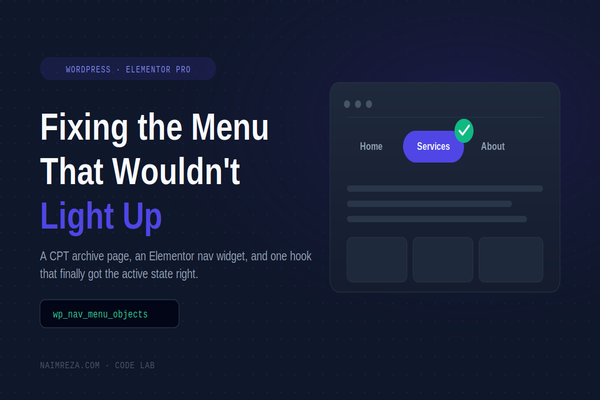
If you build your site’s Services, Portfolio, or Blog page using an Elementor Pro Theme Builder Archive template attached to a Custom Post Type (CPT), you’ve probably noticed something annoying: the matching item in your nav menu never lights up as “active” when you’re actually on that page.
Here’s why it happens, and the small snippet that fixes it for good.
The setup
A lot of WordPress sites structure it like this:
- A nav menu item labeled “Services” that links to
/services/ - A Page in WordPress with the slug
services(so the URL resolves) - But the actual content shown at that URL is an Elementor Pro Archive template, rendering a
servicescustom post type archive — not the Page itself
The same pattern is common for Portfolio, Projects, Case Studies, or any CPT-driven listing page.
The symptom
Visit /services/ (or any single service post) and the “Services” nav item just sits there, unstyled, while every other menu item highlights correctly when you’re on its page.
Why it happens
WordPress decides whether a menu item is “current” by comparing the page you’re viewing against the object the menu item literally points to. In our case the menu item points to the Page with ID 28. But when Elementor’s Theme Builder intercepts the request and renders the CPT archive template instead, WordPress’s query object is the archive (or a single CPT post) — not that Page. So core’s “current menu item” logic never matches, and no current-menu-item class gets added.
There’s a second, sneakier layer if you’re using Elementor Pro’s Nav Menu widget specifically. Its active-state styling doesn’t even read WordPress’s own nav_menu_css_class filter output — it reads the menu item’s classes property directly, inside its own walker:
// elementor-pro/modules/nav-menu/widgets/nav-menu.php
public function handle_link_classes( $atts, $item, $args, $depth ) {
    $classes = $depth ? 'elementor-sub-item' : 'elementor-item';

    if ( ! $is_anchor && in_array( 'current-menu-item', $item->classes ) ) {
        $classes .= ' elementor-item-active';
    }
    ...
}
That means the common fix you’ll find online — hooking nav_menu_css_class — silently does nothing for Elementor’s own nav menu widget. You need to modify $item->classes before Elementor’s walker runs, not just filter what gets printed.
The fix
Hook wp_nav_menu_objects, which runs earlier and gives you the actual menu item objects to mutate directly:
add_filter( 'wp_nav_menu_objects', 'fix_archive_menu_highlight', 10, 1 );
function fix_archive_menu_highlight( $items ) {

    // Map: CPT slug => the menu item's target URL path
    $cpt_to_menu_path = array(
        'services' => '/services/',
        'code-lab' => '/code-lab/',
    );

    $active_path = null;
    foreach ( $cpt_to_menu_path as $post_type => $menu_path ) {
        if ( is_post_type_archive( $post_type ) || is_singular( $post_type ) ) {
            $active_path = $menu_path;
            break;
        }
    }

    if ( null === $active_path ) {
        return $items;
    }

    foreach ( $items as $item ) {
        $item_path = wp_parse_url( $item->url, PHP_URL_PATH );
        $item_path = $item_path ? trailingslashit( $item_path ) : '';

        if ( $item_path === $active_path ) {
            if ( ! in_array( 'current-menu-item', $item->classes, true ) ) {
                $item->classes[] = 'current-menu-item';
            }
            if ( ! in_array( 'current_page_item', $item->classes, true ) ) {
                $item->classes[] = 'current_page_item';
            }
            $item->current = true;
        }
    }

    return $items;
}
Adjust the $cpt_to_menu_path array to match your own post type slugs and menu URLs.
Why this covers both archive and single views
is_post_type_archive( $post_type ) || is_singular( $post_type ) means the parent menu item stays highlighted whether someone is browsing the full Services list or reading one individual service — which matches how most visitors expect the nav to behave.
Where to put it
Drop it in your child theme’s functions.php, or in a small site-specific plugin. No core, theme, or Elementor files are touched, so it survives every update.
How to verify it worked
Fetch the page HTML directly and check the menu item’s markup — you’re looking for two things:
current-menu-itemon the<li>elementor-item-activeon the<a>(this is the class Elementor’s own CSS actually styles)
curl -s https://yoursite.com/services/ | grep -o '<li class="[^"]*current-menu-item[^"]*"><a[^>]*>[^<]*</a>'
If you only add the nav_menu_css_class filter and stop there, you’ll see current-menu-item appear but the menu still won’t look active — because Elementor never sees it. That mismatch is the part that makes this bug so easy to half-fix and then give up on.
Caching note
If you’re on a caching setup with a CDN in front (Cloudflare, etc.), purge both your page cache and the CDN edge cache after adding this. Otherwise you’ll be staring at an old cached copy of the page wondering why nothing changed.