
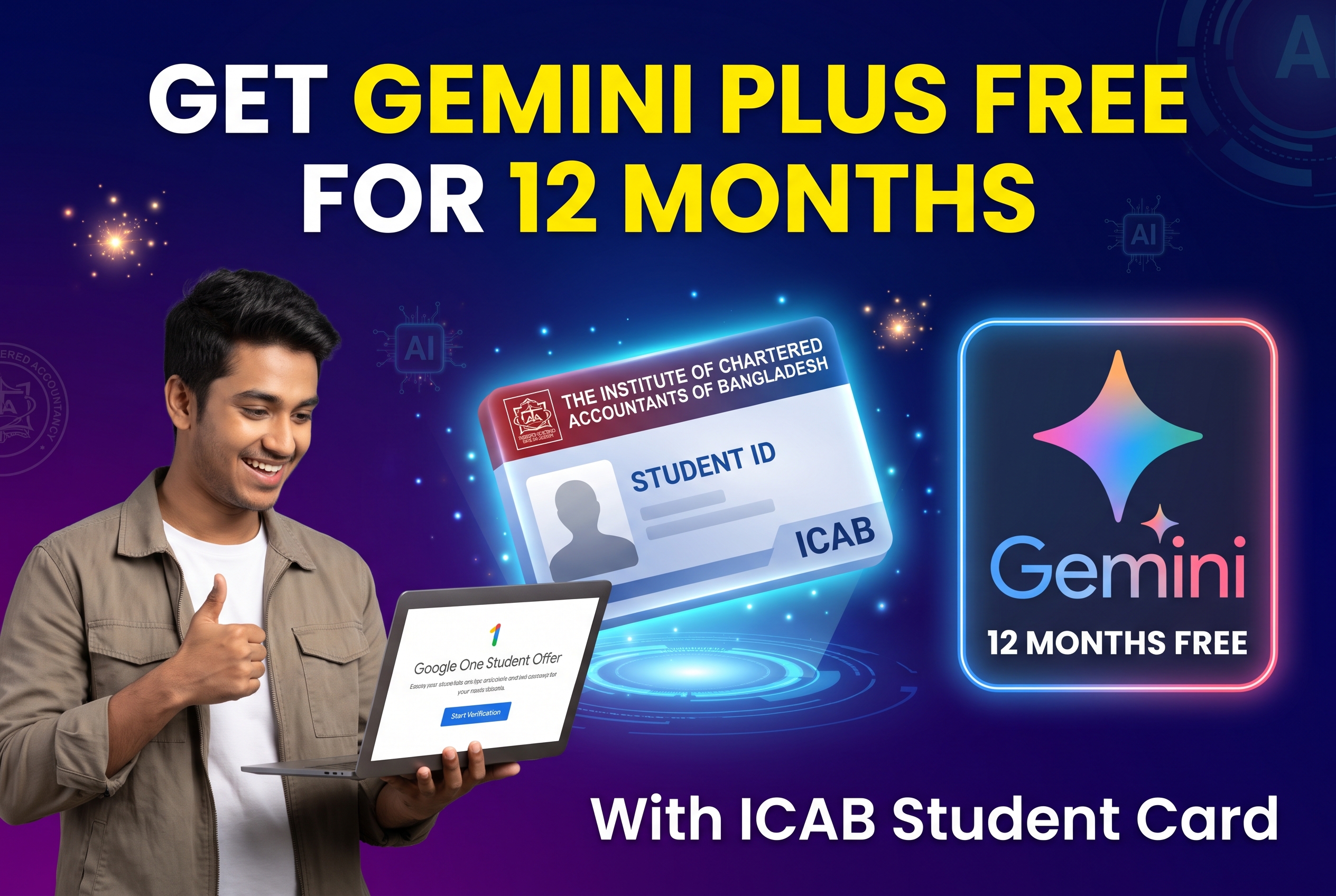
Google offers a generous student discount that gives eligible students free access to its premium AI tools, commonly searched as Gemini Plus or officially known as the Google One AI Premium plan. If you are a student of the Institute of Chartered Accountants of Bangladesh (ICAB), you can take advantage of this offer for 12 months at zero cost using your ICAB student ID card.
Having access to Gemini Advanced and 2TB of cloud storage can be a massive help for CA students preparing study notes, analyzing financial concepts, or organizing audit documentation. Here is a complete guide on how to claim your 12 months of free access.
What You Get with the Google Student AI Plan
Before starting the verification process, it helps to know what is included in this free 12 month subscription:
- Gemini Advanced Access: Full access to Google’s most capable AI models for complex reasoning, coding, research, and writing.
- Gemini in Google Workspace: Direct AI integration inside Gmail, Google Docs, Sheets, and Slides.
- 2TB Cloud Storage: Plenty of space across Google Drive, Gmail, and Google Photos for all your study materials and files.
- NotebookLM Plus: Enhanced research and note taking features tailored for students.
Requirements for ICAB Students
Unlike regular university students, ICAB students usually do not receive an institutional .edu email address. Fortunately, Google uses a verification service called SheerID, which accepts official student ID cards and registration documents. Make sure you have the following ready:
- A Personal Gmail Account: Use an active Google account where your profile name matches the name on your ICAB documents.
- Valid ICAB Student ID Card: A clear photo or scanned copy of your physical or digital ICAB student ID card. If you do not have the card yet, your official ICAB registration confirmation letter showing the current academic year will also work.
- A Dual Currency Card: Google requires a valid payment method (Visa or Mastercard with international e-commerce enabled) to activate the free trial. You will not be charged anything for the first 12 months.
Step by Step Guide to Claim Gemini Free for 12 Months
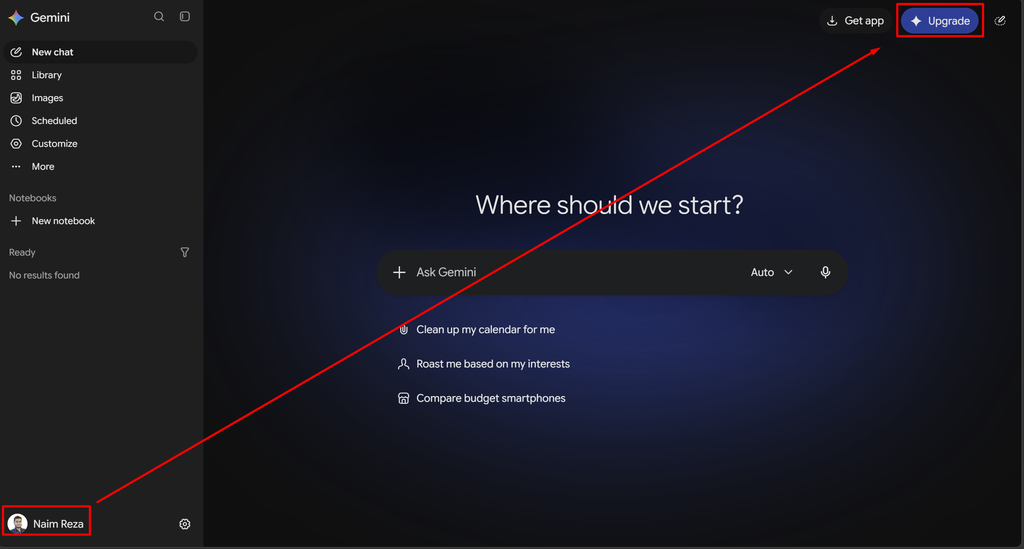
Step 1: Go to the Google One Student Offer Page
Open your browser and search for the official Google One student plan page. Make sure you are signed in with the personal Gmail account you want to upgrade.
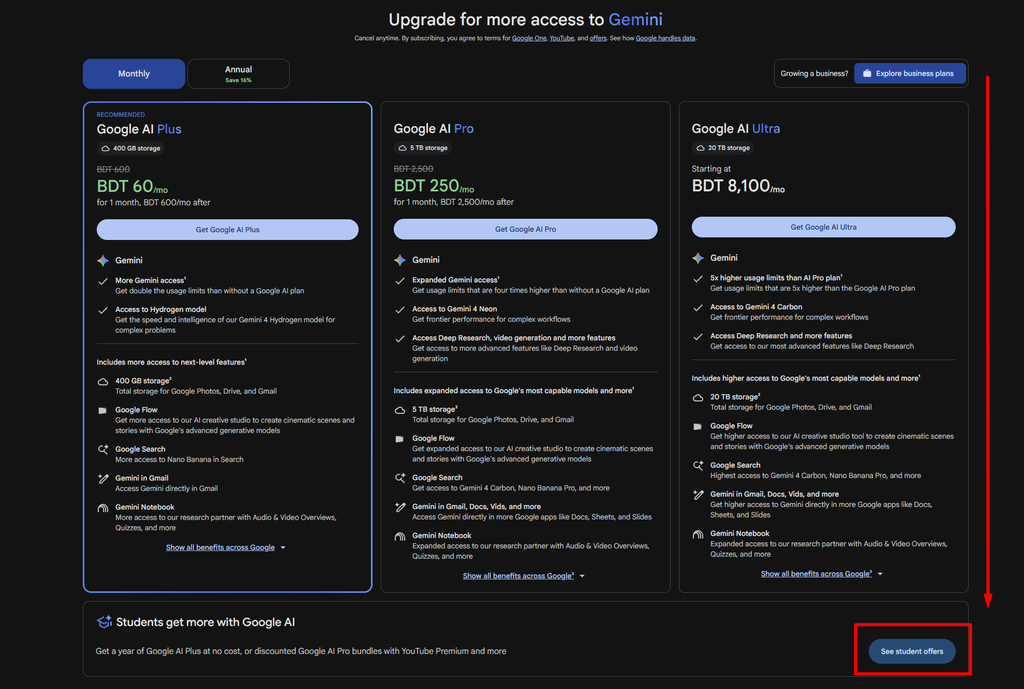
Step 2: Start the Student Verification
Click on the option to verify your student status. This will redirect you to the SheerID verification form.
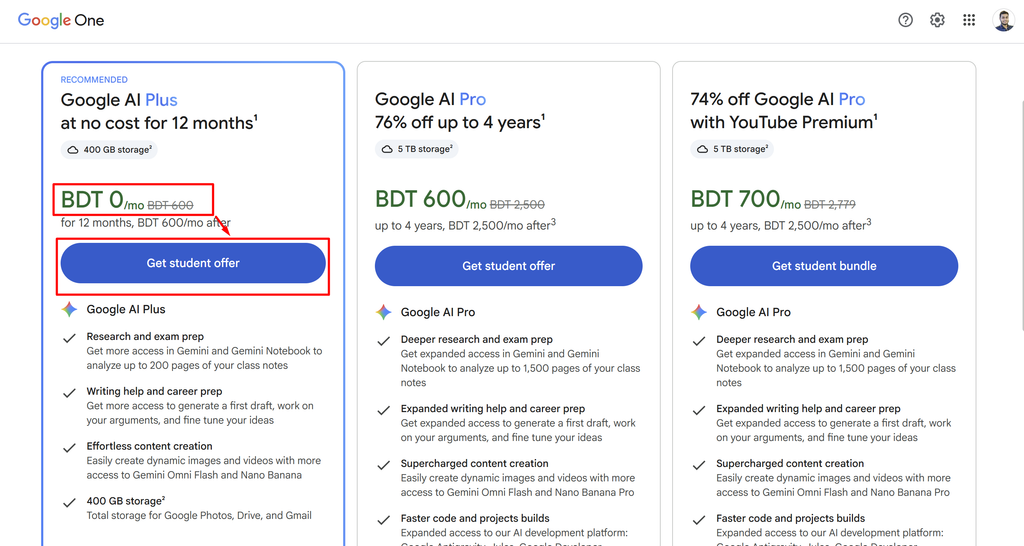
Step 3: Enter Your Institution Details
In the school or institution field, type Institute of Chartered Accountants of Bangladesh and select it from the dropdown list. Fill in your full name, date of birth, and personal email address exactly as they appear on your ICAB records.
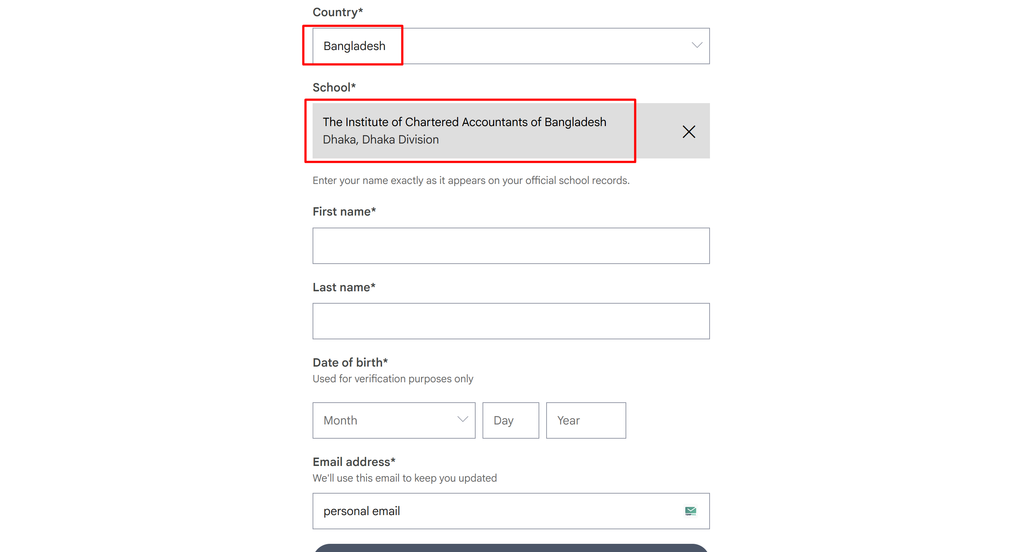
Step 4: Upload Your ICAB Student ID Card
Since you are verifying without a .edu email, the system will ask you to upload proof of enrollment. Upload a clear, readable image of your ICAB student ID card. Ensure that your full name, student registration number, and institution name are clearly visible without any glare or cropping.
Step 5: Wait for Verification Approval
Once submitted, SheerID reviews the document. In many cases, approval takes only a few minutes, though manual reviews can sometimes take up to 24 to 48 hours. You will receive a confirmation email once your status is verified.
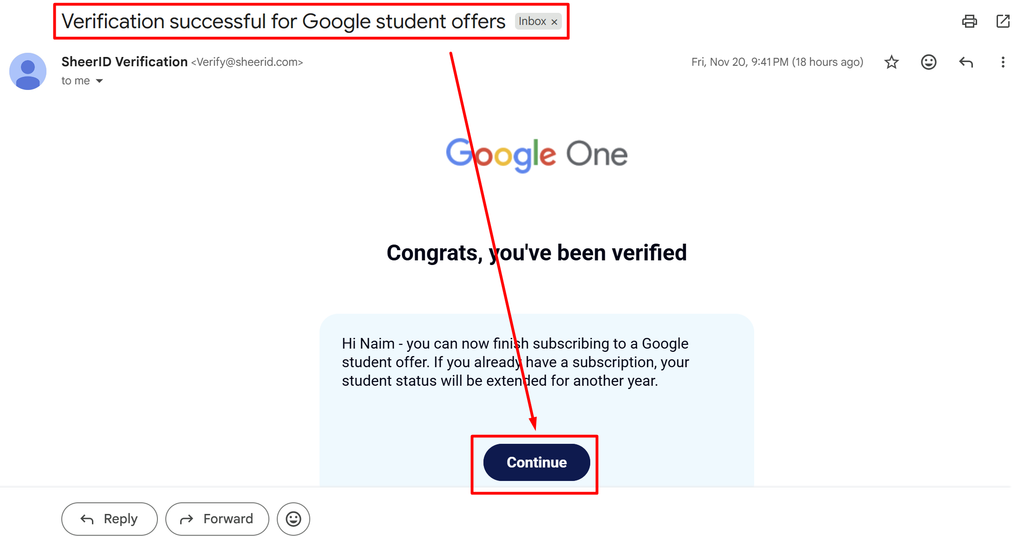
Step 6: Activate Your 12 Month Free Subscription
Return to the Google One offer page using the link in your confirmation email. Select the 12 month free student plan and add your dual currency debit or credit card details. Complete the checkout process. The total due today will show as $0.00.
Important Tips to Avoid Verification Rejection
- Match Your Names: Make sure the name on your Google account matches your ICAB student card.
- Check Image Quality: Blurry photos or cropped edges are the most common reasons for rejection. Scan your ID card or take a photo in bright, even lighting.
- Set a Reminder: Since this is a 12 month free trial, standard monthly billing will start after one year. Set a calendar reminder a few days before the renewal date if you wish to cancel before getting charged.
Frequently Asked Questions
Can I apply if I am currently doing my CA articleship? Yes, as long as your ICAB student registration is active and you have a valid student ID card or current registration document, you are eligible to apply.
Will Google deduct money from my card during signup? Google may place a temporary authorization hold (usually around $1) to verify that your card is active, which is automatically refunded within a few days. No subscription fee is charged for 12 months.
What happens after the 12 months end? After the free year ends, your subscription will automatically renew at the regular monthly rate unless you cancel it beforehand through your Google Play or Google One subscription settings.